IPTV Europa League 2026/27: UK Setup Guide
15 September 2026 · 9 min read
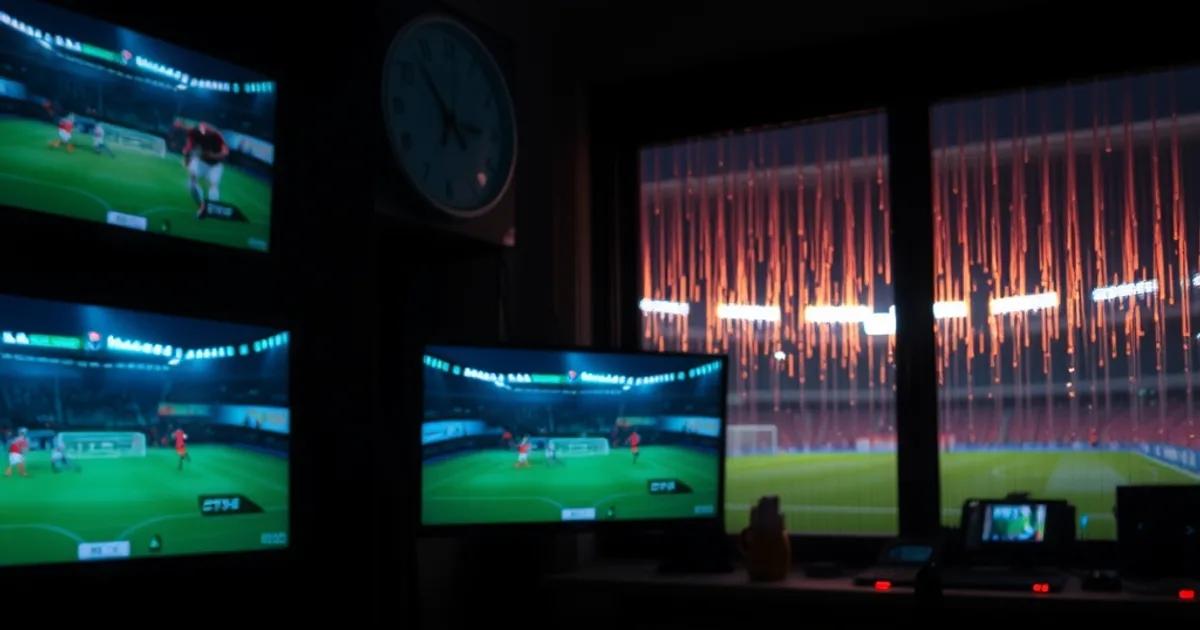
The 2026/27 Europa League league phase kicks off this week, with matchday 1 spread across Wednesday 16 and Thursday 17 September 2026. If you already sorted your IPTV setup for the Champions League opener on 8 September, don't assume Europa League just slots into the same configuration — it doesn't.
TNT Sports holds the primary UK broadcast rights for the competition, but the schedule pattern is different: Europa League fixtures split across Wednesday and Thursday nights rather than clustering on one midweek evening, several matches kick off simultaneously across multiple channels, and English clubs including Crystal Palace and Sunderland feature in this season's league phase alongside the usual mix of continental sides. That combination — a two-night spread, parallel kick-offs, and a broadcaster whose Europa League output gets less attention from IPTV guides than its Champions League coverage — creates setup problems that are genuinely different from what you dealt with last week.
This guide is written for people who already run IPTV and know the basics. We're not covering how to install an app — we're covering the Europa League-specific issues: which providers actually carry the full TNT Sports Europa League output, how to build an EPG that doesn't leave you guessing which channel your match is on, what Sky and BT's throttling behaviour looks like on a Wednesday/Thursday night compared to the usual Tuesday/Wednesday Champions League pattern, and how to stress-test your setup before kick-off instead of during it.
Why Europa League IPTV Is Different From Champions League
The Champions League league phase runs primarily on Tuesday and Wednesday nights. Europa League runs on Wednesday and Thursday. If you built your IPTV routine — EPG favourites, buffer settings, the provider you fall back to when the primary one struggles — around a Tuesday/Wednesday rhythm, you need a second routine for Wednesday/Thursday, not just a copy-paste of the first one onto new dates.
The broadcaster split matters too. TNT Sports carries the Europa League as its main UK home, which means less of the multi-broadcaster redundancy you get with Champions League coverage split across several rights holders. If TNT Sports' delivery chain has a bad night, there are fewer alternative legitimate broadcast feeds for your provider to be sourcing from, which narrows your fallback options if one stream degrades.
For our full breakdown of the Tuesday/Wednesday side of European football and the setup steps that differ, see our dedicated /blog/champions-league-iptv-setup-uk-2026 guide — the two are complementary, not interchangeable.
Finally, kick-off density is higher relative to broadcaster capacity on a Europa League night: more simultaneous matches, fewer channels carrying them live at once, so EPG accuracy and quick channel-switching matter more than on a typical Champions League evening where the headline match usually has a clear main channel.
Not sure your current IPTV setup can handle two Europa League matches at once?
Which IPTV Providers Have TNT Sports & Full Europa League Coverage
Not every IPTV package badges itself as carrying 'TNT Sports' — some list the individual TNT Sports channel numbers, others bundle it under a generic 'UK Sports' package. Before matchday, check the actual channel list your provider sends you (not just the marketing page) and confirm TNT Sports 1 through 4 are present, since Europa League fixtures routinely spread across multiple TNT Sports channels on the same night.
The reliability of the feed matters more than the headline channel count. A provider that lists every TNT Sports channel but drops frames during peak load on a two-match simultaneous kick-off is worse than a smaller provider with a stable feed on fewer channels. Our /blog/best-iptv-providers-uk-2026-tested-comparison breakdown covers how we test for this across providers, and the same criteria apply directly to Europa League nights.
If you're evaluating a new provider specifically for this competition, don't take their word for stream quality — run the same reliability check we describe in /blog/test-iptv-provider-reliability-live-sports-peak-hours-2026 during a live Europa League match rather than during an off-peak test stream. Peak-hour behaviour is the only behaviour that matters here.
One practical filter: ask (or check in a free trial) whether the provider offers both M3U and Xtream Codes access. Xtream Codes formats typically expose a live EPG feed that's easier to keep in sync than a static M3U playlist, which becomes relevant in the next section. See /blog/m3u-vs-xtream-codes-iptv-comparison-2026 if you're not sure which format your current setup uses.
Setting Up EPG for Midweek Europa League: Finding Your Match Across Multiple Channels
With four TNT Sports channels potentially live at once on a Europa League night, the difference between an accurate EPG and a stale one is the difference between finding your match in five seconds or scrolling through channels during kick-off. If your app supports Xtream Codes, make sure the EPG source is pulling from the provider's live feed rather than a cached guide that was last updated for last week's Champions League schedule — mismatched EPGs are one of the most common midweek complaints during European competition weeks.
Build a Europa League favourites folder or channel group now, before matchday, containing all TNT Sports channels plus your provider's backup/overflow channels if they have them. Doing this mid-match while a stream buffers is the wrong time to be building a channel list.
If your EPG data lags or shows the wrong fixture against a channel number, that's usually a provider-side data feed issue rather than something fixable on your device — but you can work around it by cross-referencing the official UEFA fixture list against your channel guide manually for matchday 1, until you've confirmed the provider's EPG is tracking correctly for this competition specifically.
For devices that don't handle EPG refresh well on channel-heavy nights, a manual refresh 30–45 minutes before kick-off (rather than relying on an overnight auto-refresh) avoids the guide showing yesterday's schedule when the first Wednesday match kicks off.
ISP Throttling During Peak Wednesday/Thursday Nights: What Sky & BT Actually Do
UK ISPs don't throttle 'IPTV' as a category — they manage traffic based on patterns like sustained high-bitrate streaming from the same set of destination IPs during predictable peak windows. Europa League's Wednesday/Thursday slot creates a second weekly peak-traffic window in addition to the Tuesday/Wednesday Champions League one, which means if your connection showed throttling symptoms last week, expect the same symptoms this week on the new nights, not just a one-off.
The practical symptom is consistent: a stream that was stable during setup testing starts stuttering or dropping bitrate specifically in the 15–20 minutes around kick-off, when traffic from many households converges on similar destinations at once. That timing signature — fine before kick-off, degraded right at kick-off, recovering later — is the tell that distinguishes throttling from a provider-side outage.
If you've already read our /blog/vpn-iptv-uk-2026-isp-blocking-throttling guide for Champions League nights, the same routing principles apply on Wednesday/Thursday — but test your VPN server choice again for the new night rather than assuming the server that worked best on Tuesday will be equally uncongested on Wednesday, since VPN server load also shifts with the broader European football schedule.
Sky and BT customers in particular should test with and without a VPN active during a live Europa League match in the first week, and note the difference. If there's no meaningful difference, the issue is more likely local network congestion or device-side buffering than ISP-level shaping — worth ruling out before you assume throttling is the cause.
Device Setup Checklist for Europa League: Ethernet vs WiFi, Codec Requirements, Buffer Settings
Ethernet over WiFi isn't a generic tip here — it's specifically relevant on Europa League nights because of the two-simultaneous-match viewing pattern many households run (main TV on one match, a phone or tablet on another via the same router). That doubles the load on your WiFi at exactly the moment congestion matters most. If you have two screens live during Wednesday's matchday, wire at least the primary display.
Codec support is worth checking once per season, not once per match: confirm your device handles H.265/HEVC if your provider streams in it, since a device silently falling back to software decoding can cause stutter that looks like a network problem but isn't. This is the same underlying issue we cover for general live-sport buffering in /blog/iptv-buffering-live-match-fix-uk-2026 — worth a read if you had buffering issues during Champions League week that you haven't diagnosed yet.
Buffer settings: a slightly larger buffer (adding a few seconds of delay) trades live-ness for stability, which is a reasonable trade during a night with known peak congestion. Push the buffer back to normal for nights without a Europa/Champions League fixture so you're not carrying unnecessary lag year-round.
If you're running the same setup that handled Premier League weekends fine, don't assume it's automatically tuned for European nights — the peak-hour profile is different (concentrated midweek evening load vs. spread-out weekend load). Our /blog/iptv-premier-league-setup-2026-speed-check guide has the baseline speed-check method; run it again specifically on a Wednesday evening to get a Europa League-relevant reading.
Testing Your IPTV During the Opening Matchday (Sept 16–18): The 48-Hour Stress Test
With matchday 1 spread across 16–17 September, you effectively get a two-night live test of your entire setup before the rest of the league phase runs through late January 2027. Use it deliberately rather than just watching and hoping.
On night one (Wednesday 16 September), watch a full half without touching settings and note exactly when and how any degradation happens — gradual bitrate drop, hard freeze, or sudden channel drop are three different problems with three different fixes. On night two (Thursday 17 September), apply one change based on what you saw the night before (VPN server switch, buffer increase, Ethernet swap) and compare.
This two-night comparison is more useful than a single 'does it work' check, because it tells you whether your issue is specific to congestion timing (only happens right at kick-off), specific to a particular channel (one TNT Sports feed worse than the others), or constant (present regardless of match or night) — and each of those points to a different fix.
Log what you find, even informally. Europa League runs weekly through late January, so a setup that's dialled in correctly after this opening 48-hour window saves you from repeating the same troubleshooting every matchday for four months.
Get a setup built for TNT Sports and midweek European football before Thursday's kick-offs.
Emergency Fallbacks: Rotating Channels & Backup Streams When Blocking Hits Mid-Match
Have a second provider or a backup channel list ready before kick-off, not after a stream drops. If your primary source degrades mid-match, the fastest recovery is switching to a pre-tested backup channel for the same fixture rather than troubleshooting the failing one live — diagnose after the match, not during it.
Keep a short rotation list: primary TNT Sports channel, the provider's overflow/backup channel if offered, and a secondary provider trial or subscription as a last resort. Test all three work before matchday, because the first time you touch a backup stream shouldn't be during a match you actually want to watch.
If blocking or throttling is the cause rather than a provider outage, switching VPN server or protocol is often faster than switching provider entirely — see /blog/vpn-iptv-uk-2026-isp-blocking-throttling for the specific server-switching approach that tends to recover a stream fastest mid-match rather than requiring a full reconnect.
For quick reference, the related setup guides worth bookmarking alongside this one: /blog/champions-league-iptv-setup-uk-2026, /blog/vpn-iptv-uk-2026-isp-blocking-throttling, /blog/best-iptv-providers-uk-2026-tested-comparison, /blog/iptv-buffering-live-match-fix-uk-2026, /blog/test-iptv-provider-reliability-live-sports-peak-hours-2026, /blog/iptv-premier-league-setup-2026-speed-check, and /blog/m3u-vs-xtream-codes-iptv-comparison-2026.
Frequently asked questions
Is Europa League IPTV setup different from Champions League setup?
Yes. The main differences are timing (Wednesday/Thursday nights instead of Tuesday/Wednesday), a heavier reliance on TNT Sports as the primary UK broadcaster with less cross-broadcaster redundancy, and more simultaneous kick-offs spread across multiple TNT Sports channels on the same night, which makes EPG accuracy more important.
When does the Europa League 2026/27 league phase start?
Matchday 1 runs on Wednesday 16 and Thursday 17 September 2026, with the league phase continuing on a broadly weekly midweek basis through to late January 2027.
Which broadcaster shows Europa League in the UK?
TNT Sports is the primary UK rights holder for the Europa League. Confirm your IPTV provider's channel list explicitly includes the TNT Sports channels rather than a generic 'sports package' label.
Why does my stream buffer specifically around kick-off on Europa League nights?
That timing pattern — stable before kick-off, degraded right at kick-off, recovering afterward — is typical of ISP-level traffic management during predictable peak windows rather than a provider outage. Testing with and without a VPN during the match helps confirm which it is.
Do I need a different VPN server for Europa League than the one I used for Champions League?
Possibly. VPN server congestion shifts with overall demand, so a server that performed well on a Tuesday/Wednesday Champions League night isn't guaranteed to be the least congested option on a Wednesday/Thursday Europa League night. Re-test rather than assume.
What should I do if my stream drops mid-match during Europa League?
Switch immediately to a pre-tested backup channel or secondary provider rather than troubleshooting the failing stream live. Diagnose the root cause — throttling, provider outage, or device issue — after the match using the timing pattern of when the drop occurred.
Read next: the pricing page, the setup tutorial or the FAQ.